In the previous post, we mentioned that one of the many use cases of closures is the creation of decorators. You get a function decorator by passing a function object as an argument to the enclosing function of a closure. This function that is passed is the one to be decorated. The general structure of such a closure is shown in the image below.
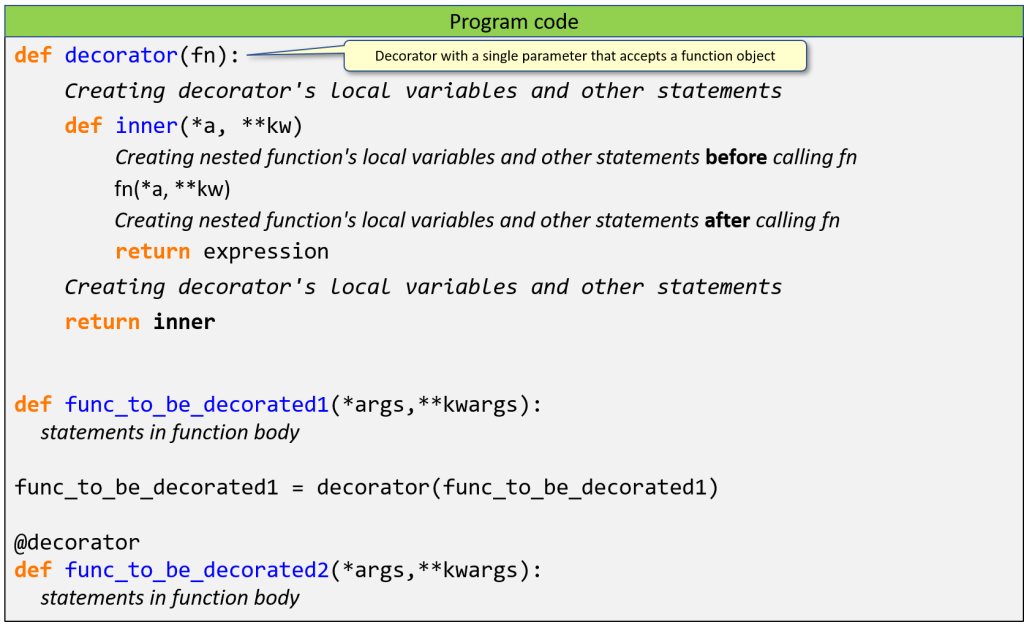
Notice that the function to be decorated is called within the inner function, and—crucially—you can execute any sequence of statements both before and after this call. Furthermore, if you invoke such an enclosing function and assign the resulting closure function object to the name of the function to be decorated, you will ultimately get a modified version of the function to be decorated that differs to some extent from its original behavior. Overall, it is extended with additional features.
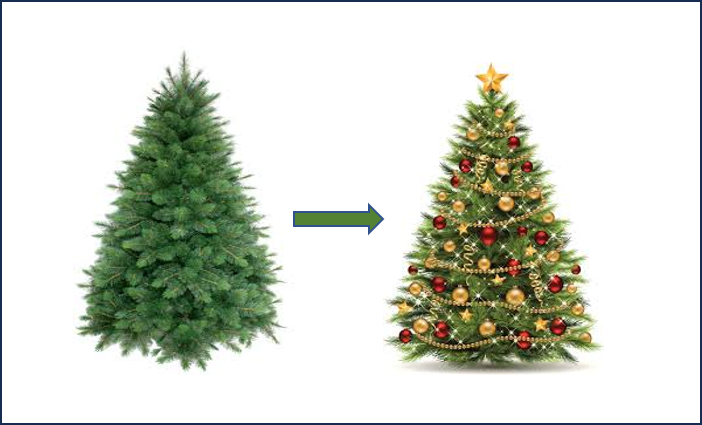
It is analogous to a pine tree that is decorated to be a Christmas tree: the original pine tree is still recognizable, yet it has changed and provides a different experience. This is why such a closure structure is called a decorator: it “decorates” the original function, giving you a slightly altered version that better suits your needs.
Decorators have many practical applications. One common use case is when we extract common pieces of code from multiple functions into a single decorator. This not only reduces code duplication but also usually results in cleaner, more readable code. Let’s take an example.
Suppose we have two functions in which division by zero might occur. For example, consider a function that computes the reciprocal or one that calculates the roots of a quadratic equation. The task is to produce a list of function values corresponding to each element in a sequence of input arguments. Since we do not know the input sequence in advance, it may contain values that lead to division by zero. However, we do not want the list construction to be interrupted by an exception. Therefore, in such cases, the functions should return None. This way, it will be clearly visible in the resulting list where the function was undefined for a given input.
To detect and handle division by zero, it is practical to use an exception-handling construct that catches the ZeroDivisionError and returns None. We could place this try…except block inside both functions, but that would result in code duplication, which is generally best avoided. It would also make the otherwise simple function bodies harder to read. Therefore, we extract this logic into a decorator and apply it to both functions.
There are two ways to apply a decorator. One follows the definition mentioned earlier: we call the decorator with the function to be decorated as its argument and assign the result to the function’s name. The other way is to place the decorator’s name above the function definition, preceded by the @ symbol. To illustrate both methods, in the code snippet below the functions are decorated in the two ways mentioned. The test results confirm the expected behavior.
|
1 2 3 4 5 6 7 8 9 10 11 12 13 14 15 16 17 18 19 20 21 22 23 24 25 26 |
def check_division_by_zero(func): def inner(*args): try: return func(*args) except ZeroDivisionError: return None return inner def reciprocal(x): return 1 / x reciprocal = check_division_by_zero(reciprocal) @check_division_by_zero def quadratic_roots(a, b, c): d = b ** 2 - 4 * a * c return (-b + pow(d, 0.5)) / (2 * a), (-b - pow(d, 0.5)) / (2 * a) # TEST print([reciprocal(z) for z in range(5)]) # Result: [None, 1.0, 0.5, 0.3333333333333333, 0.25] print([quadratic_roots(a, b, c) for a, b, c in [(1, 0, -4), (0, 5, 3), (1, -6, 8)]]) # Result: [(2.0, -2.0), None, (4.0, 2.0)] |
Simple and parameterized decorators, as well as decorator chaining, are discussed in detail in the chapter “Adding new functionalities by decorators” of the e-book Python Knowledge Building Step by Step from the Basics to the First Desktop Application. Here, in addition to providing examples of the most important uses of decorators, it is also discussed what to keep in mind when using them.